Optimizely Web Experimentation, CVE-2026-132224: on CISA's exploited list
The bottom line
If you do not use Optimizely Web Experimentation, stop reading — this does not affect you. If you do, check whether Optimizely has confirmed your account was affected by the 16 November 2026 incident; CISA's deadline is 27 November 2026. Log in to your Optimizely dashboard first.
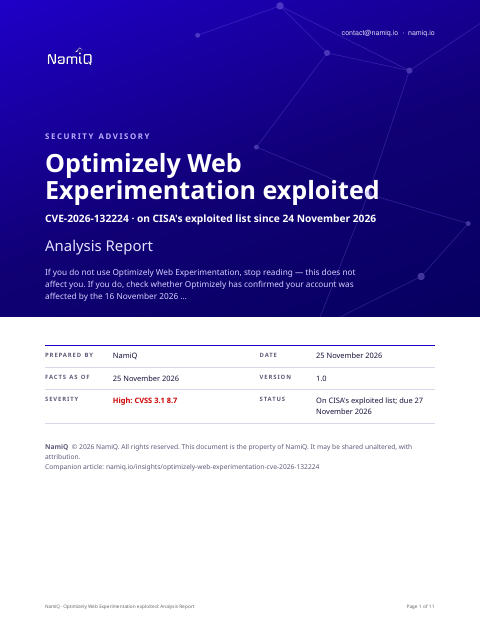 Free analysis report · 11 pagesOptimizely Web Experimentation, CVE-2026-132224: on CISA's exploited listThe same note as a document you can keep or forward: what the sources say, who is affected, and what to do first.Download the analysis report →
At a glance
| Fact | Detail |
|---|---|
| Product | Optimizely Web Experimentation (CVE-2026-132224) |
| Severity | High: 8.7 (CVSS 3.1) |
| CISA | On its exploited list since 24 November 2026. Deadline for US federal agencies: 27 November 2026. |
| Chance of exploitation (EPSS) | 0.01, the estimated chance in the next 30 days, as at 25 November 2026 |
| Ransomware use | Not recorded by CISA. That is not the same as none. |
| Fixed in | Optimizely closed the vulnerability on 16 November 2026, the same day as the incident. The record states all versions before 17 November 2026 were affected; no customer installation is needed. |
| Who looks first | Anyone whose website loads an Optimizely Web Experimentation snippet, particularly if the site was live and serving visitors on 16 November 2026. The vendor's advisory says no other Optimizely product was affected. |
Does this apply to you?
| Question | If no | If yes |
|---|---|---|
| Do you use Optimizely Web Experimentation on any customer-facing website? | Nothing to do for this CVE. | Check whether Optimizely has contacted you about being affected. |
| Was your site serving the Optimizely snippet to visitors on 16 November 2026? | Check your Optimizely projects for unexpected changes anyway. | Move to the next question. |
| Has Optimizely confirmed your account was among those affected by the incident? | Review your Optimizely projects for unexpected changes and await direct contact from Optimizely. | Follow Optimizely's remediation guidance and assess visitor data exposure. |
What it is
The record says a flaw in the account signup flow let an attacker impersonate existing customer users and write malicious JavaScript into the Project JavaScript field. Optimizely then served that field's content through its CDN to every visitor of affected customers' websites, running the attacker's script in their browsers.
Why it matters
The flaw matters because the attacker's code ran from Optimizely's own CDN under their certificate, which every affected site already trusted. A researcher's post describes payloads that swapped cryptocurrency wallet addresses, skimmed payment cards, and stole session cookies; the CVE record does not list those payloads. Our reading is that the exposure extends to every visitor of an affected site during the incident window, not only to Optimizely account holders, and that the resulting harm falls on end users rather than on the organisation's own infrastructure.
What the vendor's advisory says
We read three pages on status.optimizely.com and blog.report-uri.com and scotthelme.co.uk. In short:
- The vendor's advisory says fewer than 5% of Web Experimentation customers were affected; no other Optimizely product was involved.
- The advisory says this was not a credentials breach; the attacker used the signup flow flaw to impersonate users, not by stealing or reusing passwords.
- The advisory says Optimizely contacted every Web Experimentation customer directly to confirm whether they were affected.
- The advisory says all injected code was removed from affected projects before publication; no malicious code remains in Optimizely's systems.
Exposure by situation
These priorities are our judgement from what the sources say about who can use the flaw and how. They are not vendor ratings.
| Your situation | Priority | Timeframe |
|---|---|---|
| Your site served the Optimizely snippet on 16 November 2026 and you have not yet received confirmation from Optimizely. | High | Before 27 November 2026 |
| Optimizely has confirmed your account was affected; remediation guidance has not yet been acted on. | High | Before 27 November 2026 |
| You use Web Experimentation and Optimizely has confirmed you were not affected. | Medium | This week — review your projects for unexpected changes |
| You use Web Experimentation but your site was not serving the snippet on 16 November 2026. | Low | Next review cycle — check your Optimizely dashboard |
| You use a different Optimizely product and do not use Web Experimentation. | None | None for this CVE |
Things people will get wrong
- Optimizely fixed it, so we have nothing left to do. The fix removed injected code from Optimizely's systems but cannot undo what already ran in visitors' browsers. The advisory says Optimizely contacted every customer directly about their status.
- This is a credentials breach — our account passwords are at risk. The vendor's advisory explicitly says this was not a credentials breach. The attacker exploited a flaw in the signup flow to impersonate users, not by stealing or reusing passwords.
- The 5% figure means we are probably unaffected. The advisory says fewer than 5% were affected, but also says Optimizely contacted every Web Experimentation customer directly. If you have not received that confirmation, check your projects.
How we would triage it
This is our judgement.
Step 1: Find out whether you use Web Experimentation
- Check whether any of your websites load a JavaScript snippet served from an Optimizely CDN or a custom domain backed by an Optimizely project — your web team will know.
- If you do not use Web Experimentation, you are not affected by this CVE and can stop reviewing it.
Step 2: Check your Optimizely account for incident notifications
- Log in to your Optimizely dashboard and look for any notification or message from Optimizely about the 16 November 2026 incident.
- The vendor's advisory says Optimizely contacted every Web Experimentation customer directly to confirm whether they were affected.
Step 3: Review project JavaScript for unexpected changes
- In your Optimizely Web Experimentation project, check the Project JavaScript field for code you did not add, particularly around 16 November 2026.
- The vendor's advisory says Optimizely removed all injected code; this step confirms your project is clean.
Step 4: Assess visitor data exposure if affected
- If Optimizely confirmed your account was affected, assess what data your site's visitors could have exposed — payment card data, session cookies, account credentials — during the window on 16 November 2026.
- Follow any remediation guidance Optimizely has provided to your account.
To close it, read the version from the product itself, not from an old inventory, and save the output with the date. If you cannot update today, write down who owns it, the new date, and what limits exposure until then. CISA's wording adds that you should stop using the product if no mitigation is available.
Send this to your IT provider
Copy it, change the names and dates, and send it. It is a draft for you to check, not a template tested with any provider.
We are writing to ask you to check our use of Optimizely Web Experimentation (CVE-2026-132224). On 16 November 2026, an unauthorised party exploited a flaw in Optimizely's account signup flow and inserted malicious JavaScript into some customer projects. The vendor says the flaw was fixed that day and that all Web Experimentation customers were contacted directly. Please confirm whether we use Web Experimentation, whether we were among the affected accounts, and what steps have been taken. CISA has set a deadline of 27 November 2026. Please send written confirmation of our status and any remediation completed by that date.
Signs it was used
An update closes the hole. It does not tell you whether someone used it first. CISA's required action points to its forensic triage requirements (BOD 26-04). Look for:
- In Optimizely audit logs or version history, look for changes to the Project JavaScript field between 00:00 and 03:00 UTC on 16 November 2026 that were not made by your team.
- In browser-side network logs or a monitoring service for 16 November 2026, look for unexpected outbound requests from pages that loaded your Optimizely snippet.
- If your site was affected, review for signs of session cookie misuse or account takeover by users who visited on 16 November 2026, as a researcher's post describes cookie theft in the payload.
The weakness behind it
The record classes this as CWE-642 (External Control of Critical State Data).
Likely ATT&CK mapping
MITRE ATT&CK is a public catalogue of the steps attackers take, from getting in to causing damage. No source has mapped this flaw to it yet, so the steps below are our prediction from what the record says the flaw allows. They are not MITRE's, the vendor's or CISA's, and an attacker may do other things.
| The step, in plain words | Stage of an attack | Why we think so |
|---|---|---|
| Exploit Public-Facing Application (T1190): Breaking in through a service that faces the internet, such as a web server, VPN or login page. | Initial Access: getting in | The flaw is in Optimizely's public-facing account signup flow; exploiting it to gain write access to customer projects would likely follow this technique. |
| Data Manipulation: Stored Data Manipulation (T1565.001): Changing stored data without permission. | Impact: causing damage or disruption | The attacker wrote into the stored Project JavaScript field, which is then served from a CDN; modifying stored content to distribute malicious code would typically follow this technique. |
| Drive-by Compromise (T1189): Getting a visitor's browser to run harmful content from a website. | Initial Access: getting in | The modified snippet ran in browsers of every visitor to affected sites; attacker-controlled JS executing via a trusted third-party CDN load would typically follow this technique. |
How to use this: ask your IT provider which control or log would show each step, for example whether sign-in attempts from the internet are recorded. If nobody can answer, that is the gap to close first.
MITRE ATT&CK® is a registered trademark of The MITRE Corporation. Technique names are MITRE's.
The sources, in their words
CISA's catalogue entry:
Optimizely Web Experimentation contains an external control of critical state data vulnerability in its account signup flow that could allow an attacker to impersonate existing customer users and modify Project JavaScript. Successful exploitation can result in attacker-controlled JavaScript being distributed through Optimizely-hosted assets and executed in browsers visiting affected customer websites.
The CVE record, published by Mitre on 18 November 2026:
Optimizely Web Experimentation before 2026-11-17 mishandles the account signup flow, leading to presence of attacker-controlled code in the projectJS (aka Project JavaScript) field of certain cdn.optimizely.com assets.
Versions of Optimizely Web Experimentation the record lists as affected:
- all versions before 2026-11-17
The affected ranges end before 2026-11-17. Those are the first versions the record does not list as affected; confirm them in the vendor's advisory.
CISA's required action:
Apply mitigations in accordance with vendor instructions.
Check your own project
If you build software, you can compare what a project declares with this CVE from a terminal. The tool reads requirements files, package.json, Maven, Gradle, Cargo, CMake and Dockerfile files, runs nothing, and only the CVE id leaves your machine. Naming the CVEs needs no key.
lattice-scan project . --cve CVE-2026-132224Each row says in-range, outside-range, undetermined or lead, with the file and line. That is evidence about what a manifest declares, not about what runs, and a person decides. The verdicts, the CSV columns and a pipeline recipe are in the guide.
Check the servers you run
The same id can be checked against a host. Run this on the machine itself, not on the laptop that deploys to it: it reads installed packages (dpkg, rpm or apk), snaps, the hardware (maker, model, firmware), the running container images with their operating system and packages, and the kernel version, compares them on the spot, and only the CVE ids leave the machine; the inventory stays on it, in ~/.lattice-scan. Naming the CVEs needs no key. Do it on each server after a deployment, and again when a new entry lands.
lattice-scan --cve CVE-2026-132224A match is a candidate for a person to confirm, not a finding. A distribution can fix a CVE under an unchanged version number, so a match is a candidate; on Debian-family hosts the report also shows whether the package's own changelog names the CVE. By default it opens the images your containers are running and reads their operating system and package list; a deep scan (--deep, a few minutes) opens every local image and the Python, Node, Java and Ruby packages inside them; for what an image declares, use the project check on its Dockerfile.
Guide: namiq.io/lattice/guides/choose-your-channel. MCP server (io.namiq/lattice in the MCP registry): namiq.io/lattice. Package: pypi.org/project/lattice-scan, or namiq.io/apt.
- Which way into Lattice fits your job →The command line, the Claude skill or the MCP server: what each needs, what works without a key and how to read the result.
- Lattice, the MCP server →The public graph the command reads, for AI agents over MCP.
- Install and connect →The signed apt repository, the fingerprint, and the connection commands for each client.
What we do not know yet
- The sources do not explain how the attacker gained the ability to impersonate customer users through the signup flow, beyond calling it a flaw in that flow.
- The sources do not say which customer data the attacker accessed or extracted from affected projects before Optimizely blocked delivery.
- It is not stated in the record whether a compromised Optimizely-internal credential with cross-customer access was involved, or whether the signup flow flaw alone was sufficient.
- The record does not say whether end-user visitors of affected sites were notified or what advice was given to affected customers about informing their own users.
- We have not tested this against any environment. Versions and scores are as the sources state them and as at 25 November 2026; the vendor's advisory wins where it differs.
- The sections headed "The bottom line", "Does this apply to you?", "What it is", "Why it matters", "Exposure by situation", "Things people will get wrong", "Likely ATT&CK mapping", "How we would triage it" and "Send this to your IT provider" are our interpretation of the sources, not a statement by CISA or the vendor.
Sources
- CISA Known Exploited Vulnerabilities catalogue
- CVE record for CVE-2026-132224
- FIRST: Exploit Prediction Scoring System
- Advisory or release notes read: status.optimizely.com/incidents/ftw0fh9wx43z
- Advisory or release notes read: blog.report-uri.com/worlds-largest-brands-infected-with-malware-via
- Advisory or release notes read: scotthelme.co.uk/reflecting-on-the-optimizely-incident-and-why-w
- Reference in the CVE record: pages.optimizely.com
- Reference in the CVE record: github.com